🤖 Add SpellBot to Discord
SpellBot is free and works in any Discord server you manage. Adding it takes a minute and needs no configuration to get going.
 Add to Discord
🃏 Run your first game
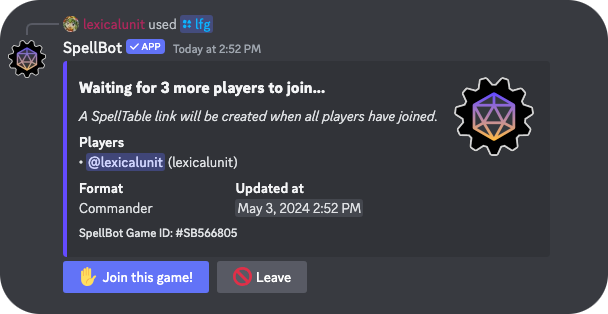
Run /lfg in any channel and SpellBot posts a game other players
can join. When the last seat fills, it creates the table on the service your
server plays on and shares the link with everyone who joined.
Once a game is forming you can watch it fill from live queues, where you can log in with Discord to browse games across every server, filter them down to just the communities you play in, set up notifications so you are pinged when a game you care about is forming, and look back through your own game history and records.
📬 Let SpellBot message you
The most common issue people have is not receiving Direct Messages from the bot. SpellBot uses Discord embeds in the DMs it sends, and there are a few settings you need to enable for that to work.
- In your Settings search for embeds and link previews and make sure that it's on.
- For each Server you will want to make sure that you have allowed Direct Messages from those server members. Search your Settings for Direct Messages and turn the option on.
- You may also need to enable message requests from server members you may not know. Search your Settings for message requests and turn that option on as well.
🛟 Still stuck?
Join us on the SpellBot Discord server to get answers from our generous community. Wondering whether the bot is online? Check the status page for current health.